How to Use a Text Case Converter Online in 2026
Unlock the power of text case converters online for developers in 2026. Transform text formatting efficiently and error-free with expert insights.
In the fast-paced world of development, efficiency isn't just an advantage—it's a necessity. A small but mighty tool, the text case converter, can significantly enhance your workflow by ensuring consistent and clean text formatting. In 2026, as digital content creation expands, understanding the seamless use of these tools online becomes pivotal.
Why Text Case Converters Matter More Than Ever
The digital landscape demands precision. Whether it's coding, content creation, or data entry, consistent text case ensures clarity and professionalism. Text case converters online offer a straightforward solution to prevent common formatting errors that can lead to misunderstandings in code or content.
Consider a developer managing a massive codebase where variable names need consistent formatting. A single mismatch in case could lead to bugs that are costly in time and resources. Text case converters eliminate such risks by automating case transformations, saving developers hours of manual corrections.
How to Use an Online Text Case Converter
Step-by-Step Guide
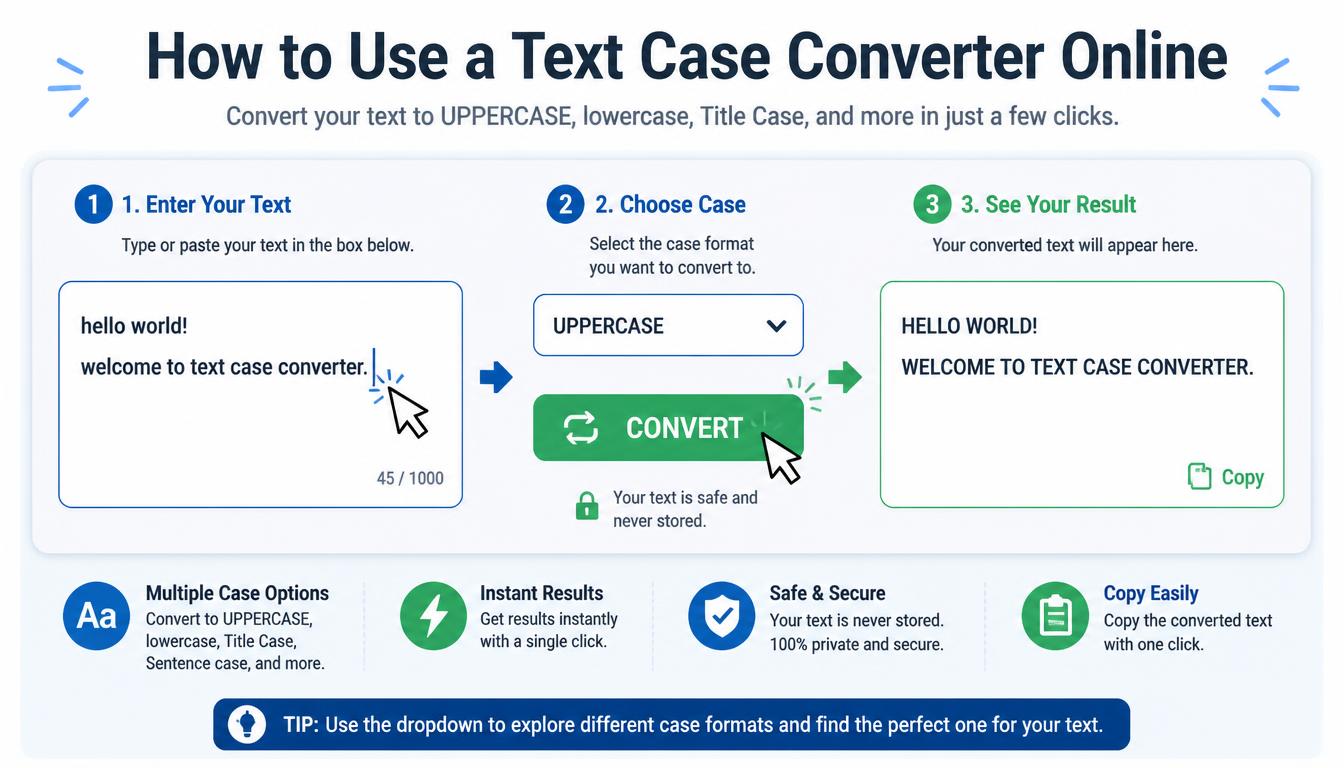
- Access a Reliable Tool: Choose a reputable online text case converter. SimpleCyto offers a suite of free, easy-to-use tools perfect for developers.
- Input Your Text: Copy and paste the text you wish to convert into the tool's interface.
- Select the Desired Case: Choose from options like UPPERCASE, lowercase, Title Case, or Sentence case.
- Convert: Hit the convert button and view your results instantly.
- Copy and Implement: Copy the formatted text back to your project or document.
Example: Transforming JavaScript Code
Imagine you have a JavaScript variable that needs consistent camelCase formatting. Paste the list of variables into a text case converter, select the camelCase option, and let the tool handle the rest.
Common Mistakes to Avoid
- Ignoring Context: Always ensure the case transformation matches the context, such as camelCase for JavaScript variables.
- Overlooking Errors: Double-check the converted text, as tools might not interpret complex needs correctly.
- Neglecting Source Material: Use clean, error-free source text to prevent carrying over mistakes into the conversion.
Best Practices for Developers
- Integration with Workflow: Incorporate text case converters into your regular workflow. Use browser extensions or integrate with your IDE where possible.
- Batch Processing: For large projects, use tools that support batch processing to save time.
- Customization: Choose tools that offer customization options for specific case styles relevant to your coding standards.
Real-World Application: Before and After
Consider a project where inconsistencies in formatting led to multiple code reviews. After integrating a text case converter, not only did code reviews become more efficient, but the overall quality of the code improved significantly. Here's a simple comparison:
| Before Conversion | After Conversion |
|---|---|
var FirstName; |
var firstName; |
Const Age; |
const age; |
let AddressLine1; |
let addressLine1; |
Frequently Asked Questions
What is the best text case for coding?
The best case depends on the language. For example, camelCase is commonly used in JavaScript, while snake_case is often used in Python.
Can these tools handle large text inputs?
Yes, most online converters can handle large inputs efficiently, but always check the tool's limitations on file sizes or text lengths.
Are online text case converters secure?
Reputable platforms like SimpleCyto prioritize user privacy and ensure data is not stored after processing.
Do I need technical skills to use these tools?
No, these tools are designed for ease of use, suitable for both technical and non-technical users.
Can I automate this process?
Yes, many tools offer APIs that can be integrated into scripts for automating text conversion.
Final Thoughts
Text case converters are an essential tool in a developer's toolkit. By understanding and leveraging these tools effectively, you can enhance both the accuracy and efficiency of your work. Start integrating text case converters today and see the difference it makes in your productivity and output quality.