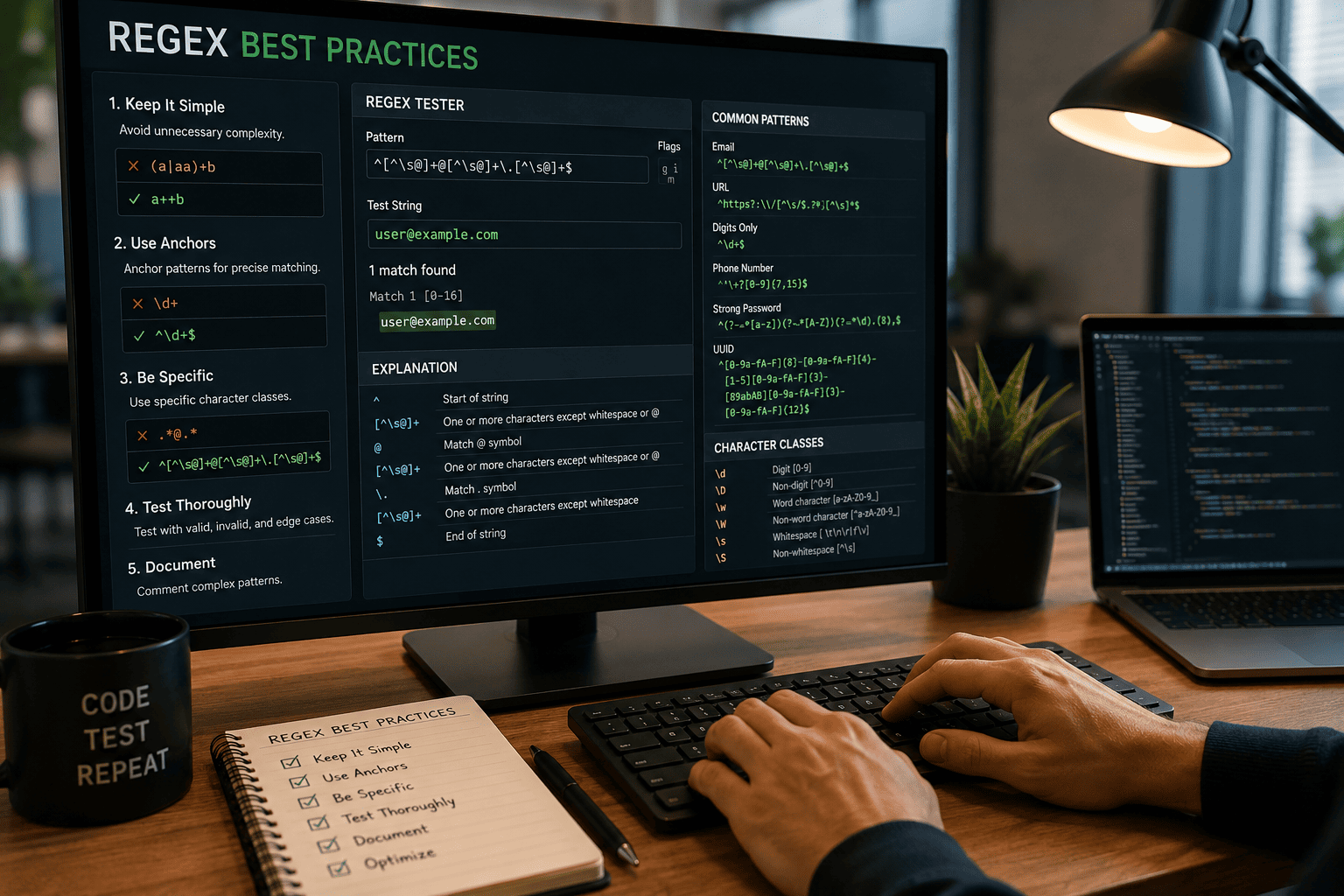
Regex Best Practices: How to Write Efficient Regular Expressions
Learn how to write efficient, readable, and maintainable regex patterns with real examples, debugging tips, and proven best practices.
Regex Best Practices: How to Write Efficient Regular Expressions
Regular expressions (Regex) are one of the most powerful tools available to developers. They help validate user input, search text, extract information, clean datasets, and automate repetitive text-processing tasks.
Despite their usefulness, many regex patterns become difficult to understand, maintain, and debug over time. A pattern that works perfectly today can quickly become a source of bugs and frustration if it is overly complex or poorly structured.
This guide covers proven regex best practices, practical examples, debugging techniques, and optimization tips to help you write regular expressions that are efficient, readable, and maintainable.
What Is Regex?
Regex, short for Regular Expression, is a sequence of characters used to define search patterns. These patterns allow developers to match, validate, extract, or replace text.
Common use cases include:
- Email validation
- Password validation
- URL validation
- Data extraction
- Search and replace operations
- Log file analysis
- Form validation
For example:
^[a-zA-Z0-9._%+-]+@[a-zA-Z0-9.-]+\.[a-zA-Z]{2,}$
This pattern validates most standard email addresses.
Why Regex Quality Matters
Many developers focus only on making a regex pattern work. Professional developers focus on making it:
- Correct
- Readable
- Maintainable
- Performant
- Easy to debug
Poorly written regex patterns can cause:
- Unexpected matches
- Validation failures
- Security vulnerabilities
- Performance bottlenecks
- Maintenance challenges
A few extra minutes spent improving a regex pattern can save hours of debugging later.
Understanding Regex Building Blocks
Character Classes
Character classes define which characters are allowed.
Examples:
[0-9]
Matches any digit.
[a-z]
Matches lowercase letters.
[A-Z]
Matches uppercase letters.
[a-zA-Z]
Matches any alphabetic character.
Quantifiers
Quantifiers specify how many times something can appear.
| Quantifier | Meaning |
|---|---|
| * | Zero or more |
| + | One or more |
| ? | Optional |
| {3} | Exactly three |
| {2,5} | Between two and five |
Example:
\d+
Matches one or more digits.
Anchors
Anchors define position.
^
Beginning of a string.
$
End of a string.
Example:
^\d+$
Matches strings containing only digits.
Regex Best Practices
Keep Patterns as Simple as Possible
One of the most common mistakes is creating unnecessarily complex expressions.
Poor Example
([a-zA-Z0-9])+([a-zA-Z0-9])*
Better Example
[a-zA-Z0-9]+
The second pattern is shorter, easier to understand, and easier to maintain.
Always Use Anchors for Validation
When validating entire strings, use anchors.
Weak Validation
\d+
This matches digits anywhere inside a string.
Strong Validation
^\d+$
This ensures the entire string contains only digits.
Avoid Overusing Wildcards
Many developers rely too heavily on:
.*
Although convenient, wildcards often create unexpected matches.
Weak Example
.*@.*
Better Example
^[^\s@]+@[^\s@]+\.[^\s@]+$
The second version is more specific and reliable.
Make Your Intent Clear
Regex should communicate its purpose.
Weak Example
.*
Better Example
^[A-Za-z]{3,20}$
The second pattern clearly indicates that only letters are allowed and the length must be between three and twenty characters.
Practical Regex Examples
Email Validation
^[a-zA-Z0-9._%+-]+@[a-zA-Z0-9.-]+\.[a-zA-Z]{2,}$
Username Validation
^[a-zA-Z0-9_]{3,20}$
Phone Number Validation
^\+?[0-9]{7,15}$
Strong Password Validation
^(?=.*[a-z])(?=.*[A-Z])(?=.*\d).{8,}$
This requires:
- One lowercase letter
- One uppercase letter
- One number
- Minimum length of eight characters
URL Validation
^(https?:\/\/)?([\w\-])+\.{1}[a-zA-Z]{2,}(\/[\w\-]*)*\/?$
A Practical Regex Testing Workflow
Before using any regex pattern in production:
Step 1: Write the Initial Pattern
Focus on functionality first.
Step 2: Test Valid Inputs
Verify that expected values are accepted.
Step 3: Test Invalid Inputs
Ensure unwanted values are rejected.
Step 4: Test Edge Cases
Check:
- Empty strings
- Special characters
- Long inputs
- Unusual formats
Step 5: Improve Readability
Simplify the pattern wherever possible.
Step 6: Document Its Purpose
Future developers should understand why the pattern exists.
Common Regex Mistakes
Using Regex for Everything
Regex is powerful, but it is not always the best solution.
Complex data structures often require dedicated parsers instead of regular expressions.
Ignoring Edge Cases
Developers frequently test only ideal inputs.
Always test:
- Empty values
- Invalid characters
- Extremely long strings
- Unexpected formats
Creating Unreadable Patterns
A regex that nobody understands becomes technical debt.
If a pattern is complex, add documentation explaining its purpose.
Forgetting About Performance
Certain patterns can cause excessive backtracking.
For example:
(a+)+
Nested quantifiers can become expensive on large inputs.
Regex Performance Tips
Prefer Specific Character Classes
Use:
[0-9]
instead of:
.
when possible.
Avoid Nested Quantifiers
Nested repetition often slows execution.
Reduce Backtracking
Specific patterns generally perform better than generic ones.
Test With Large Datasets
Performance issues often appear only when processing large amounts of text.
Regex Debugging Checklist
Before deploying a regex pattern:
- Matches expected values
- Rejects invalid values
- Uses anchors appropriately
- Handles edge cases
- Avoids unnecessary complexity
- Performs efficiently
- Includes documentation
Useful Tools for Regex Workflows
Regex is rarely used alone. Developers often combine it with other tools to improve productivity.
JSON Formatter
Format and inspect structured data before applying regex operations.
JSON Validator
Validate JSON payloads before extracting values.
Text Diff Checker
Compare text before and after regex transformations.
Base64 Encoder and Decoder
Useful when processing encoded content.
AI Content Generator
Generate sample datasets for regex testing scenarios.
Regex Cheat Sheet
Digits
\d
Non-Digits
\D
Word Characters
\w
Whitespace
\s
Beginning of String
^
End of String
$
One or More
+
Zero or More
*
Optional
?
Best Practices Checklist
Before using a regex pattern:
- Keep it simple
- Use anchors when validating
- Avoid excessive wildcards
- Test valid and invalid inputs
- Check edge cases
- Review performance
- Document complex patterns
- Verify maintainability
Frequently Asked Questions
Is regex difficult to learn?
The basics are relatively simple. The challenge comes from writing efficient and maintainable patterns for real-world applications.
What is the biggest regex mistake?
Creating patterns that work but are difficult to understand and maintain.
How can I improve regex debugging?
Use test cases, validate edge cases, and simplify patterns whenever possible.
Is regex fast?
Well-designed regex patterns are usually very fast. Poorly designed patterns can become slow due to excessive backtracking.
Should I use regex for validation?
Yes. Regex is excellent for validating formats such as emails, usernames, phone numbers, and identifiers.
Conclusion
Regex remains one of the most valuable skills in modern software development. The goal is not simply to write patterns that work, but to create expressions that remain readable, maintainable, and efficient over time.
By following these regex best practices, testing thoroughly, avoiding common mistakes, and using the right workflow tools, you can build reliable regular expressions that improve both code quality and developer productivity.
